TM SIM Online Registration Steps:
Completing your TM SIM registration is now a required process for all users, and understanding the sim registration tm system can save you from headaches like number deactivation, loss of load balance, or blocked services. With online registration becoming the fastest and most convenient method, TM has developed a streamlined digital process that allows users to register from anywhere. Whether you’re using a new SIM or updating the details of an older one, the steps are simple, straightforward, and can be finished in just a few minutes with the right preparation.
This complete guide will walk you through every step of the TM SIM online registration process, along with tips, troubleshooting advice, and everything you need to make the experience smooth and stress-free.
Why TM SIM Online Registration Is Important
Online SIM registration became necessary because it helps protect mobile users from scams, fraudulent accounts, and unauthorized number usage. Registering a SIM provides network providers with accurate user information, reducing illegal activities and increasing account security.
Here’s why doing your TM SIM registration online is beneficial:
- Faster and more convenient
- No need to visit physical stores
- Easy verification using mobile devices
- Efficient OTP validation
- Safe digital record-keeping
Registering online also ensures that your number remains active and compliant with the SIM Registration Act, which affects all prepaid and postpaid users.
What You Need Before Registering Your TM SIM Online
To avoid delays, prepare the following items before starting the process. The registration system works best when users have everything ready.
1. A Valid Government-Issued ID
Your identity must be verified using a government ID. Acceptable options include:
- National ID
- Passport
- Driver’s License
- UMID
- PRC ID
- Postal ID
- PhilHealth ID
- SSS ID
- TIN ID
- Senior Citizen ID
Make sure your ID photo is clear and readable.
2. Your TM SIM is Inserted in Your Phone
You need it to receive the OTP (one-time PIN). Without OTP verification, you cannot continue with the online registration.
3. A Stable Internet Connection
A good connection helps prevent loading errors and delays during verification.
4. Personal Information
Have your details ready:
- Full name
- Birthday
- Gender
- Address
- Nationality
5. A Clear Photo of Your ID
Take a well-lit photo that shows all text clearly. Blurry or shadowed photos often get rejected.
TM SIM Online Registration Steps (Complete Guide)
Below is a detailed breakdown of the TM SIM online registration steps from start to finish. Follow these carefully to ensure a smooth and successful process.
Step 1: Open the TM SIM Registration Page
Use your smartphone or computer and access the official TM registration portal. This is the platform provided by TM for secure user verification and identity submission.
Step 2: Enter Your TM Mobile Number
Type your active TM number. Double-check for mistakes, because one incorrect digit will prevent the OTP from arriving.
After entering your number, click proceed.
Step 3: Wait for the OTP (One-Time PIN)
Once your number is submitted, TM sends a unique OTP to your phone. This code:
- Expires after a few minutes
- Must be typed exactly as shown
- Confirms that you are the owner of the number
If the OTP doesn’t arrive, try the following:
- Restart your phone
- Move to an area with a better signal
- Remove and reinsert the SIM
- Turn off VPN
- Request a new OTP
A strong signal helps speed up this step significantly.
Step 4: Fill Out Your Personal Information
After OTP verification, the system will redirect you to the main registration form. Enter the following:
- Full legal name
- Date of birth
- Sex
- Nationality
- Complete address
The details must match your valid ID. Consistency ensures immediate approval.
Step 5: Upload a Clear Photo of Your Valid ID
Next, you’ll be asked to upload the government ID you prepared earlier. Ensure that:
- The image is not blurry
- Text is readable
- The photo includes the whole ID
- There are no shadows or reflections
Some users may also be asked to take a selfie for additional verification.
Step 6: Review Your Information
Before submitting, carefully check every detail. Most problems occur because users enter:
- Misspelled names
- Incorrect birthdates
- Wrong addresses
- Blurry ID photos
A short review prevents delays and rejection.
Step 7: Submit Your Registration
After verifying everything, click submit. The system will process your details and show a confirmation message. You will also receive a reference number save this for future inquiries.
What to Do After Registering Your TM SIM Online
Once the registration is complete:
- Screenshot or write down your reference code
- Keep your ID on file in case TM requires follow-up verification
- Monitor your messages for confirmation updates
Your number should remain active with no interruptions.
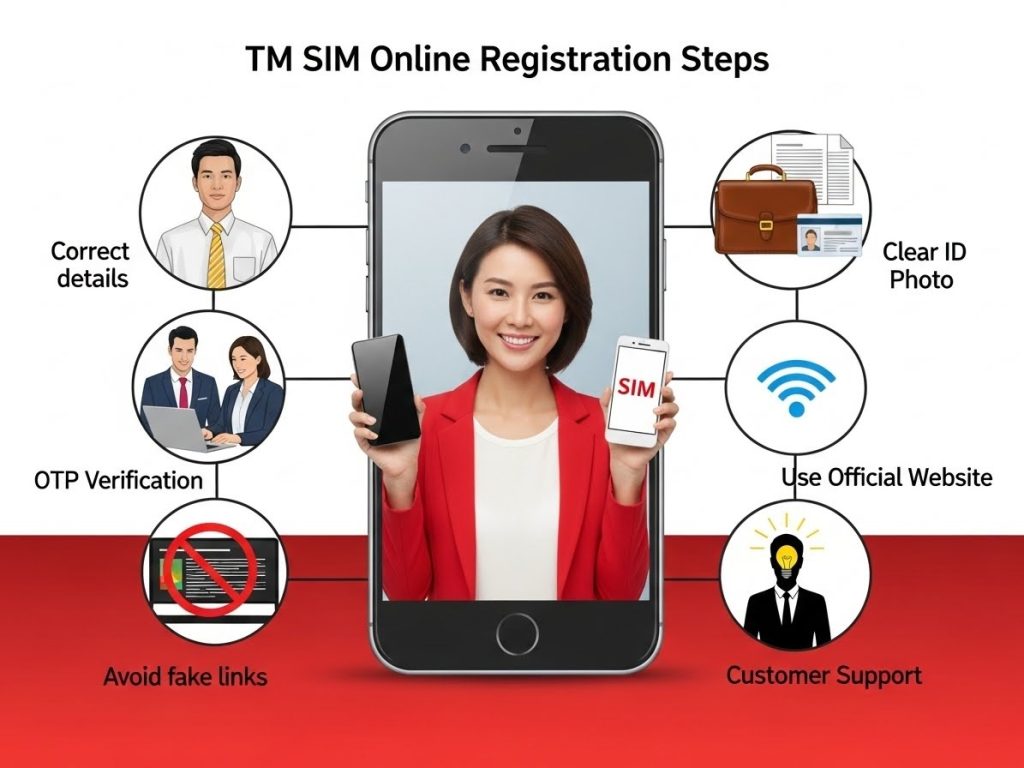
Troubleshooting: Common Problems and Solutions
Online registration is quick, but occasional issues may occur. Here are the most frequent problems and how to fix them.
Problem 1: OTP Not Received
This is the most common issue. Try:
- Restarting your device
- Switching to a better signal spot
- Turning off airplane mode
- Requesting a new OTP
- Ensuring your SIM is inserted properly
OTP delays usually happen during peak hours or in low-signal areas.
Problem 2: Registration Portal Not Loading
Slow or unresponsive pages may mean:
- High website traffic
- Weak internet connection
- Browser issues
Try switching browsers or refreshing the page. If the portal is overloaded, wait a few minutes and try again.
Problem 3: ID Rejected
Reasons include:
- Blurry images
- Faded ID text
- Poor lighting
- Cropped parts of the ID
Retake the photo using good lighting and a plain background.
Problem 4: System Error or Submission Failure
Sometimes the system may timeout or fail to process the information. In this case:
- Reload the page
- Start from Step 1
- Ensure a stable internet connection
Most submission errors are temporary.
Who Can Register a TM SIM?
Different users follow slightly different rules depending on their situation.
1. Regular Users
Adults with valid IDs can register their TM SIM directly.
2. Minors
Minors cannot register SIM cards under their own identity.
A parent or legal guardian must:
- Use their own ID
- Register the SIM under their name
- Take responsibility for the minor’s usage
3. Foreign Nationals
Foreigners staying in the Philippines must provide:
- Passport
- Visa or travel permit
- Proof of address
- Return ticket (if applicable)
Tourists receive temporary registration valid only during their stay.
4. Corporate or Business Users
Businesses must provide:
- Company details
- Authorized representative information
- Supporting documents
This ensures accountability for company-owned numbers.
How to Know if Your TM SIM Is Already Registered
There are a few ways to check:
- Try registering the system again will notify you if it’s already registered
- You may receive a text confirmation from TM
- Your SIM continues working without registration reminders
If your SIM still sends and receives messages with no warnings, it’s usually already registered.
What Happens If You Don’t Register Your TM SIM?
Not registering your SIM has serious consequences:
- Permanent deactivation of your number
- Loss of load balance
- Loss of promos, points, and rewards
- No calls, texts, or data access
- You cannot recover the number after deactivation
To avoid this, complete online registration as soon as possible.
Tips to Make TM SIM Online Registration Faster
Here are simple ways to speed up the process:
- Prepare your ID photo beforehand
- Use a device with a strong internet connection
- Register during non-peak hours
- Turn off VPN services
- Keep your SIM signal strong for OTP delivery
- Double-check your information before submitting
A few minutes of preparation saves time and prevents issues.
Frequently Asked Questions (FAQ)
1. Is TM SIM registration free?
Yes, it’s completely free.
2. Can I change my information after registering?
Yes, but you must request changes through TM customer service.
3. What if I lose my registered SIM?
You can request a SIM replacement because your identity is already verified.
4. Can foreigners register online?
Yes, as long as they upload the correct documents.
5. How long does online registration take?
Usually 2–5 minutes if you already prepared your ID and information.
Final Thoughts
Completing your TM SIM registration online is simple, fast, and essential for secure mobile use. By following the steps outlined in this guide, preparing your documents beforehand, and ensuring steady internet and signal strength, you can complete the entire process quickly and hassle-free. The online method is by far the most convenient, allowing users to register anytime without visiting a physical store.
The TM SIM online registration steps are designed to help every user stay protected, compliant, and connected. Take a few minutes to complete your registration now and enjoy uninterrupted service, improved safety, and full access to TM’s mobile features.