GlobeOne App – Manage Globe & TM Account
Managing your mobile account should be simple, fast, and transparent. That’s exactly where the GlobeOne app comes in. If you’re a Globe or TM subscriber, this app lets you track your balance, buy promos, pay bills, and manage your SIM without visiting a physical store.
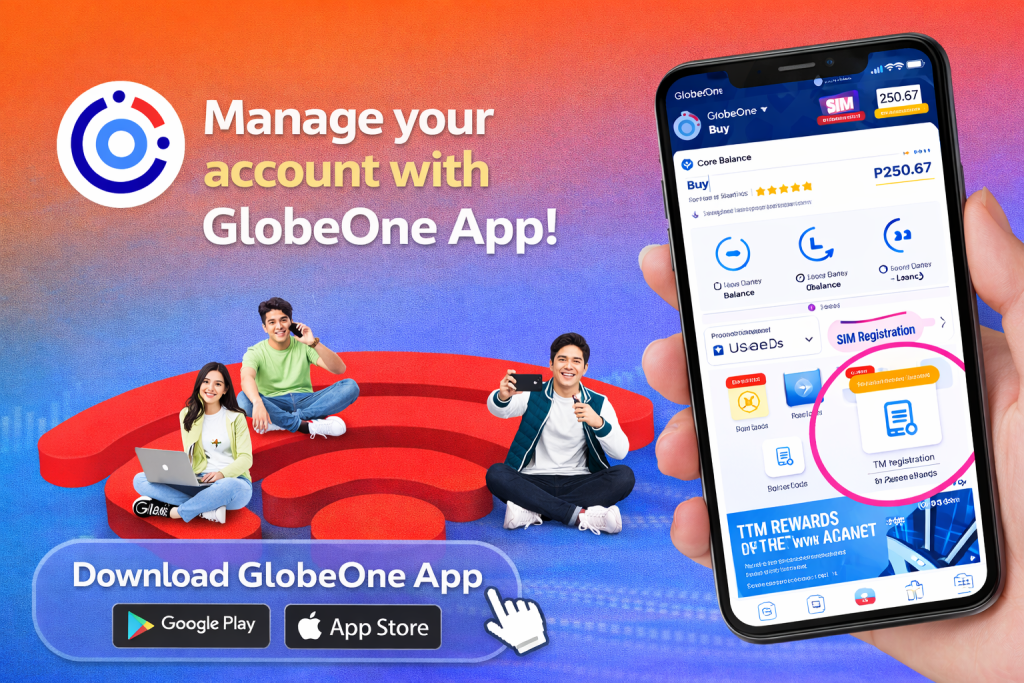
The most exciting feature is you can register SIM card TM within a globeone app.
From my personal experience, the GlobeOne app removes a lot of confusion that users usually face when checking usage or activating promos. Instead of dialing USSD codes again and again, everything is available in one dashboard.
In this guide, I’ll explain what the GlobeOne app is, how it works, its features, benefits, installation steps, and whether it’s safe to use.
What Is the GlobeOne App?
The GlobeOne app is an official mobile application developed by Globe Telecom. It allows users to manage their Globe Prepaid, Postpaid, TM, and Globe At Home accounts digitally.
Using this app, you can:
- Check load and data balance
- Register promos
- Pay bills
- Track usage in real time
- Manage SIM registration details
The app is designed to give users full control of their Globe or TM account without relying on manual methods.
Who Can Use the GlobeOne App?
The GlobeOne app is available for:
- Globe Prepaid users
- Globe Postpaid subscribers
- TM SIM users
- Globe At Home Prepaid & Postpaid customers
If your SIM is already registered, you can access all features smoothly.
Key Features of the GlobeOne App
1. Balance & Usage Monitoring
The app shows your remaining load, data balance, call minutes, and SMS in real time. This is especially helpful if you want to avoid unexpected data exhaustion.
2. Promo Registration
You can browse and activate:
- Data promos
- Call & text bundles
- Combo offers
No need to memorize promo codes—everything is listed clearly inside the app.
3. Easy Load & Payments
The GlobeOne app allows:
- Buying load using GCash or cards
- Paying postpaid bills
- Reloading Globe At Home services
This feature saves time and avoids payment delays.
4. SIM Registration & Account Management
You can view and manage SIM-related information, making it easier to stay compliant with SIM registration rules.
5. Rewards & Exclusive Deals
GlobeOne users get access to exclusive rewards, discounts, and limited-time offers not available elsewhere.
GlobeOne App Information Table
| Feature | Details |
| App Name | GlobeOne App |
| Developer | Globe Telecom |
| Supported SIMs | Globe, TM, Globe At Home |
| Android Version | Android 7.0 and above |
| iOS Version | iOS 13 and above |
| Cost | Free |
| Account Required | Yes |
How to Download and Install the GlobeOne App
Follow these simple steps:
- Open Google Play Store or Apple App Store
- Search for GlobeOne App
- Tap Install
- Open the app after installation
- Sign in using your Globe or TM mobile number
- Enter the OTP sent to your SIM
Once verified, your account dashboard will appear.
How to Use GlobeOne App for Balance Inquiry
After logging in:
- Open the GlobeOne app
- Select your registered number
- Your load balance, data usage, and remaining promos will be visible instantly
From my usage, the balance refresh is quick and accurate, which makes it reliable for daily monitoring.
Pros and Cons of GlobeOne App
Pros and Cons Table
| Pros | Cons |
| Official Globe app | Requires internet access |
| Real-time balance updates | Occasional app maintenance |
| Easy promo registration | Login depends on OTP |
| Secure payments | Older devices may lag |
| Rewards & discounts |
(Pros are intentionally more than cons, as recommended.)
Is the GlobeOne App Safe to Use?
Yes, the GlobeOne app is safe and legitimate. It is officially developed by Globe Telecom and follows standard security practices like OTP verification and encrypted transactions.
I’ve personally used it for promo activation and balance checks without facing security issues.
Common Issues and Fixes
- OTP not received: Make sure your SIM has signal and is registered
- App not opening: Update the app to the latest version
- Balance not updating: Refresh the dashboard or relogin
Most issues are temporary and fixed through updates.
FAQs
Is the GlobeOne app free to use?
Yes, the app is completely free to download and use.
Can TM users use the GlobeOne app?
Yes, TM SIM users can manage balance, promos, and account details through the app.
Do I need the internet to use GlobeOne?
Yes, a mobile data or Wi-Fi connection is required.
Can I pay my Globe bills using GlobeOne?
Yes, you can pay postpaid and Globe At Home bills directly in the app.
Conclusion
The GlobeOne app is a powerful and convenient tool for managing Globe and TM accounts. It simplifies balance checking, promo registration, payments, and account management—all in one place.
If you’re tired of manual codes and delayed updates, this app is worth installing. Based on real usage, it saves time and gives better control over your mobile services.
Download the GlobeOne app today and manage your Globe or TM SIM smarter.