Piso WiFi vs Mobile Data: Which One Is Cheaper and More Reliable in the Philippines
Almost every Filipino has used Piso WiFi at least once. You put a coin in the machine, connect your phone, and you get internet for a few minutes. It is cheap and easy. But what happens when the Piso WiFi box near you is down, or you are not near one at all? That is where mobile data comes in.
In this guide, we will compare Piso WiFi and mobile data in plain and simple words, two of the most common answers people give when asked about the cheapest internet in the Philippines. We will look at the real cost, the real speed, and which one actually makes sense for your daily life.
Many readers looking into this topic are also figuring out their Smart SIM registration for the first time, since a registered SIM is what makes mobile data possible in the first place. By the end of this guide, you will know exactly which option fits your situation, or if you should just use both.
Quick Answer
Piso WiFi is cheaper per hour if you are sitting near a working machine. Mobile data costs more per month, but it works anywhere you have signal. If you move around a lot, study outside your home, or need internet for banking and OTP codes, mobile data is the safer choice. If you are mostly at home near a reliable Piso WiFi box and just need casual browsing, Piso WiFi can save you money.
What Is Piso WiFi and How Does It Work
Piso WiFi is a coin operated internet machine found in many sari sari stores, homes, and small shops across the Philippines. The word piso means one peso, and that is the whole idea behind it. You do not need to pay for a full month of internet. You just pay for the minutes you need.
Most Piso WiFi machines work like this. You connect your phone to the WiFi name shown on the box. A small login page opens. You insert a coin or scan a QR code. The machine gives you internet time based on how much you paid. When your time runs out, the internet stops until you pay again.
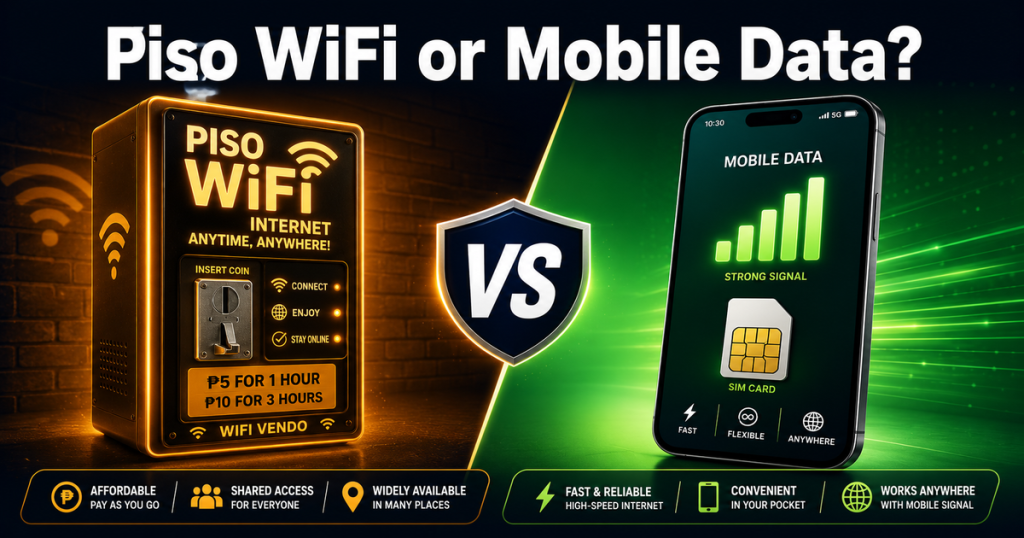
In many areas, one peso gives you around five minutes of internet. In some places, prices are even better, with rates as low as five pesos for a full hour. This is one of the biggest reasons Piso WiFi became so popular, especially in rural towns where monthly internet plans are too expensive for many families.
What Is Mobile Data and How It Works
Mobile data is internet that comes straight from your SIM card. You do not need a router or a machine nearby. As long as your phone has signal, you can go online. In the Philippines, Smart is one of the main networks offering mobile data through prepaid promos.
Unlike Piso WiFi, mobile data travels with you. You can use it while walking, riding a jeepney, or sitting in a classroom. You are not tied to one location or one machine.
Piso WiFi vs Mobile Data: Price Comparison
Let us compare the real numbers so you can see the difference clearly.
| Feature | Piso WiFi | Mobile Data (Smart) |
| Typical Cost | As low as ₱5 per hour | ₱99 to ₱299 for several days of data |
| Payment Style | Pay per minute or per hour | Pay per promo, usually valid for days |
| Location | Only works near the machine | Works anywhere with signal |
| Setup Needed | None, just connect and pay | Requires a registered SIM |
| Best For | Casual browsing near one spot | Daily use, travel, work, and school |
If you only need internet for a short time and you are sitting near a working Piso WiFi box, it is hard to beat the price. But if you add up how many times you pay for Piso WiFi across a full month, it can actually cost close to what a Smart data promo costs, without the freedom to move around.
Why Mobile Data Costs More but Gives You More Freedom
Mobile data through Smart comes in several types of promos, and each one fits a different kind of user.
Power All promos give you unlimited access to one app like Facebook, TikTok, or YouTube, plus extra general data. These usually cost around ₱109 and last for about a week.
Magic Data promos never expire. This means you can buy data once and use it slowly over weeks or even months. Prices usually start around ₱99.
Unli 5G promos are for people who use the internet heavily every day. These give you continuous data access, with prices ranging from ₱35 up to ₱799 depending on how much speed and data you need.
If you want to see the full and updated list of Smart promos, our complete Smart SIM data promos guide breaks down every current price and what it includes.
The Real Difference: Reliability vs Cost
This is the most important part of the comparison, and it is something most people do not think about until it happens to them.
Piso WiFi depends completely on one machine. If the owner’s internet provider has an outage, if the machine breaks down, or if there is a brownout in the area, your internet stops, and there is nothing you can personally do to fix it. You are relying on someone else’s equipment and someone else’s internet connection.
Mobile data depends on network coverage instead. As long as Smart has signal in your area, your data works. You are not waiting on anyone to fix a machine. If one promo runs out, you can buy another one instantly from your phone.
This difference matters a lot for certain situations. If you need to receive an OTP code for banking, or you have an online class starting in five minutes, you cannot afford to wait for someone to restart a Piso WiFi box.
What to Do When Piso WiFi Is Not Working
This happens to almost everyone eventually. You connect to the Piso WiFi network like always, but the internet just will not load. Before you assume the worst, a few things are usually to blame.
The most common causes are a brownout or outage on the internet line feeding the machine, a firmware issue on the router itself, or simply too many people connected at once and slowing everything down. Sometimes the machine owner has not paid their own internet bill on time, which cuts off the whole box until it is settled.
Restarting your own phone’s WiFi connection or moving closer to the machine can fix small issues. But if the machine itself is down, there is nothing you can personally do to bring it back online. This is exactly where having mobile data as a backup becomes useful. Instead of waiting around for someone else to fix a machine you do not control, you can switch your phone to mobile data and keep going with whatever you were doing.
When Piso WiFi Is the Better Choice
Piso WiFi still makes a lot of sense in certain situations. Here is when it is genuinely the smarter option.
- You are mostly at home and there is a reliable Piso WiFi box nearby
- You only need internet for short bursts of time, like checking messages or browsing casually
- You want to avoid monthly commitments completely
- You are in an area where mobile signal is weak but a fixed internet line feeds the Piso WiFi machine
- You are on an extremely tight daily budget and only need a few minutes at a time
For many students in remote areas, Piso WiFi is not a backup option. It is the only realistic way they can get online at all, since a full mobile data plan may simply be out of reach for their budget.
When Mobile Data Is the Better Choice
Mobile data becomes the smarter option in these situations.
- You need internet away from home, like at school, at work, or while traveling
- You depend on OTP codes for banking, SIM registration, or verification
- You want consistent internet without worrying about one machine breaking down
- You use the internet daily for schoolwork, video calls, or streaming
- You want the freedom to switch promos anytime without needing a specific location
Can You Use Both at the Same Time
Yes, and honestly, this is what a lot of Filipinos already do without even thinking about it as a strategy. Many households use Piso WiFi at home for everyday browsing since it is cheap, and they keep mobile data active on their phone as a backup for whenever they leave the house or the Piso WiFi machine goes down.
This combination gives you the best of both. You save money at home, and you are never fully cut off from the internet when you step outside or when something goes wrong with the machine.
Frequently Asked Questions
Is Piso WiFi safe for online banking?
Piso WiFi is a shared public network, so it is best to avoid banking apps or entering sensitive passwords while connected to it. Mobile data is generally considered safer for anything involving money or personal accounts, since it is a private connection tied to your own SIM.
Why does Piso WiFi feel slower at certain times of the day?
Piso WiFi speed depends on how many people are connected to the same machine at once, plus the strength of the internet line feeding it. During busy hours, more users sharing the same connection can slow things down for everyone.
What should I do if my Piso WiFi is not working at all?
First check if it is a brownout or an outage on the owner’s side, since that is the most common cause and something you cannot fix yourself. If the machine stays down, switching your phone to mobile data is the quickest way to get back online while you wait.
What is the cheapest way for a student to stay online?
Many students combine both options. They use Piso WiFi at home or in the dorm area for daily browsing, and keep a small Smart data promo active on their phone for class hours or emergencies when Piso WiFi is not available.
Does mobile data work everywhere in the Philippines?
Mobile data works wherever your network has signal. Coverage is strong in cities and most towns, though some remote areas may still have weaker signal compared to urban centers.
Can I switch between Piso WiFi and mobile data automatically?
Most phones will use whichever connection is active. If your Piso WiFi disconnects, your phone can switch to mobile data automatically, as long as you have an active data promo and mobile data turned on in your settings.
Final Thoughts
Piso WiFi and mobile data are not really competitors. They solve two different problems. Piso WiFi gives you a cheap way to go online when you are near a working machine. Mobile data gives you freedom and reliability wherever you go.
If you want the smartest setup, use Piso WiFi for your everyday browsing at home, and keep a Smart data promo ready on your phone as your backup. That way, you always have internet, no matter what happens to the machine down the street.
This article is for general informational purposes. Prices and promo details may change, so always confirm current rates through official Piso WiFi providers and the Smart App before making a decision.